Tampilkan postingan dengan label ulefone. Tampilkan semua postingan

Kamis, 03 Maret 2016

$199.99 Ulefone Power or $295 Xiaomi Redmi Note 3?


We have made a video to show Ulefone Power and Redmi together. Chipset and storage aside, Ulefone Power perform almost equally to the Redmi device. And the Power’s 6050mAh mammoth battery is apparently a plus. For price, Ulefone Power is presently sold for USD179.99, about USD95 cheaper than the Note 3. So we guess Ulefone Power will be a better choice for you.

Don’t miss any of our future video tutorials, follow us on Youtube. Like us on Facebook. Add us in your circles on Google+. Watch our photo albums on Flickr. Subscribe now to our newsletter. Biggest firmware download center.

Selasa, 01 Maret 2016

How to Root Ulefone Power


To install TWRP Recovery you will need latest version of Flash Tools and TWRP Recovery v3.0; also you will need set of universal driver. You can download the  'Ulefone Power Root' archive from here, here or here. (84 MB)

'Ulefone Power Root' archive content
- TWRP-3.0.0-megthebest-Ulefone-Power.rar
- SP_Flash_Tool_Win_v5.1552.rar
- Driver_Auto_Installer_v5.1453.03.zip

Drivers Installation
1.Unzip Driver_Auto_Installer_v5.1453.03 archive.
2.Disable driver signature enforcement (Tutorial 1 or  Tutorial 2)
3.Go to the unzipped archive and open Universal_Adb_Driver as an Administrator.
4.Follow the instructions of the installation program.

TWRP Recovery installation
1.Unzip Flash Tools archive.
2.Unzip TWRP Recovery archive.
3.Open flash_tool file in the Flash Tools folder. We recommend you to do that as an administrator.
4.Open Options in the left upper corner. Go to Download and check USB Checksum. Close it Options window.
5.Press Scatter-Loading
6.In TWRP-3.0.0-megthebest-Ulefone-Power folder (from the unzipped TWRP Recovery archive) find the MT6753_Android_scatter- TWRP 3.0 file, choose it and press Open.
7.Press Download button.
8.Turn off your phone.
9.Connect your phone to the computer with the USB cable.
10.Wait until Flash Tools finish installing TWRP Recovery to your phone.
11.Disconnect the phone.
12.Press and hold for some time vol+ and Power on buttons.
13.In the appeared menu choose Recovery. Use vol+ to navigate, and vol- to choose.


How to get ROOT access
1.Go to TWRP Recovery.
2.Press Reboot.
3.Follow the Installation program instructions.

Warning
Everything you doing with your phone you do on your own risk. We are not taking responsibility for anything that may happen during the actions described above. 


Don’t miss any of our future video tutorials, follow us on Youtube. Like us on Facebook. Add us in your circles on Google+. Watch our photo albums on Flickr. Subscribe now to our newsletter.

Minggu, 28 Februari 2016

Annoucement about Ulefone Power Production


Dear Buyers of Ulefone Power

Our factory ceased production during the Chinese New Year holiday while the stock for Ulefone Power severely fall short of demand. Thus Ulefone Power orders  have not been sent out so far. Here we appologize for all the inconveniences so caused and promise we’ll fullfil your orders as soon as possible.

The new-year holiday lasted from February 5 to February 14, but most colleagues in our factory have asked for longer leave. As you may know, Ulefone is located in Shenzhen, a busy city mainly made up of migrant workers, and the Spring Festival is almost our only chance in a year for family renunion. For that, we appreciate your understanding. But now the factory has been running at its full capacity and we will be able to fill the gap in 2 weeks.

Sorry again for the delay!

Best regards,
Ulefone Team


Don’t miss any of our future video tutorials, follow us on Youtube. Like us on Facebook. Add us in your circles on Google+. Watch our photo albums on Flickr. Subscribe now to our newsletter.

Jumat, 19 Februari 2016

Ulefone Will Exhibit Future and Sharp At MWC 2016


From February 22 to 25, the Ulefone team will be present at the MWC in Barcelona, Spain to show the world their latest models.

There we’ll be able to feel the bezel-less device Ulefone Future. Packing Helio P10 chipset, 4GB RAM, and side-mounted fingerprint scanner, the Future will definitely be Ulefone’s flagship in 2016. Another model Ulefone will exhibit is named Sharp. We have got no information about it so far, but we can reckon from the name that it will be equipped with high-resolution display or camera. The in-sale Ulefone Power will also be presented in an effort for more local distributors in Europe.

Ulefone says they will also hand out a certain number of samples to media there for reviews. In addition, Ulefone stress that Sharp will not be the name of any Ulefone device shown before. 


Don’t miss any of our future video tutorials, follow us on Youtube. Like us on Facebook. Add us in your circles on Google+. Watch our photo albums on Flickr. Subscribe now to our newsletter.

Senin, 15 Februari 2016

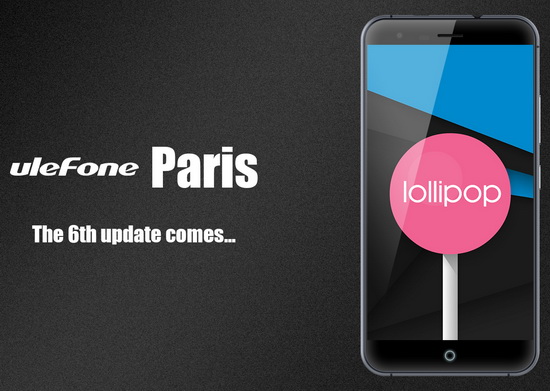
Download latest Android Lollipop 5.1 stock firmware for Ulefone Paris smartphone

Download latest Android Lollipop 5.1 stock firmware for Ulefone Paris smartphone


Download latest Android Lollipop 5.1 stock firmware for Ulefone Paris smartphone (6th update) from here, here or from here. Download another Ulefone firmware from here.


Firmware details
Archive: Ulefone Paris 6th Update SD Card
Image: ulefone Paris T card upgrade.zip
Archive size: 745 MB
Support: Mediatek MT6753 
Build number: ulefone/full_rlk6753_65u_l1/rlk6753_65u_l1:5.1/LMY47D/1454059023:user/test-keys

If your phone came with the 20161013 version of software (only those units sold very recently is with this edition), you may have problem with updating your phone to 20160128. We feel sorry for that but we have offered the ROM for flash. 

The flash is very simple
1. Download the ROM and put it on the root directory of your TF card or phone storage.
2.Go to Settings – About Phone – Wireless Update, click the menu icon on the upper right corner, and choose “local updates”.
3.Choose the ROM and you have started the upgrade.

PS: Please recharge your phone to over 30%.
As for other users of Ulefone Paris, you should have been able to update your phone OTA. And thank you all for more feedbacks. We’ll keep optimizing the device.


Caution: Please do not update firmware unless you know what you are doing, you really want it or it is absolutely necessary. Firmware updates may occasionally have bad results, like bricking your device, temporarily or permanently. The firmware update process is done entirely at your own risk. Before attempting to update the firmware, back up your data. 

Don’t miss any of our future video tutorials, follow us on Youtube. Like us on Facebook. Add us in your circles on Google+. Watch our photo albums on Flickr. Subscribe now to our newsletter.